
TL;DR: A digital punch card is a stamp card that lives in your customer’s Apple Wallet or Google Wallet instead of their pocket. They save it in two taps from a QR code, with no app to download, and your staff add stamps with a quick scan. Because it sits next to their payment cards, it can’t be left at home. You stop reprinting cards, see who your regulars are and can remind them when a reward is close.
Paper punch cards have a habit of disappearing. You print a batch, hand them out at the counter, and a few months later you’re ordering more. A digital punch card keeps the same simple idea and puts the card somewhere customers never leave behind: their phone.
You probably know the moment well. A regular orders their usual, pats their pockets and says the card is in their other wallet. You start a fresh one, they promise to combine the two next time, and both cards end up in a drawer. Multiply that by every customer, every week, and your loyalty program quietly leaks.
Plenty of owners have given up on loyalty cards for exactly this reason. Others keep printing them anyway, because a half-working card beats no reason to return at all. The good news is that the part that breaks is the paper, not the idea.
This guide covers what a digital punch card is, how it works in Apple Wallet and Google Wallet, what a lost card really costs you, and how to switch without upsetting your regulars. It’s written for cafés, bakeries, salons, restaurants, food trucks and any local business that runs on repeat visits, in Canada, the US or anywhere else.
What is a digital punch card?
A digital punch card is a loyalty card that lives on your customer’s phone, usually in Apple Wallet or Google Wallet. It works like a paper card: each visit or purchase adds a stamp, and a full card earns a reward. The difference is that it can’t be lost, copied or left at home.
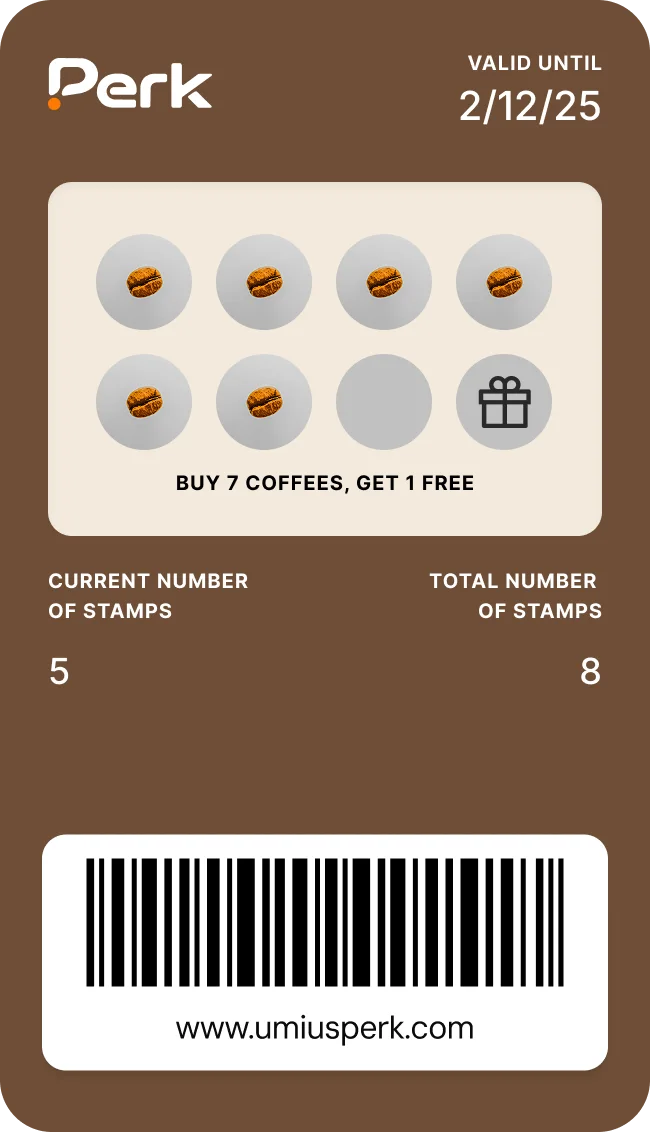
Your customers don’t need to download an app or learn anything new. They see your logo, your colours, their stamps so far and the reward they’re working towards, all on one card. When your team adds a stamp, the card updates on their phone.
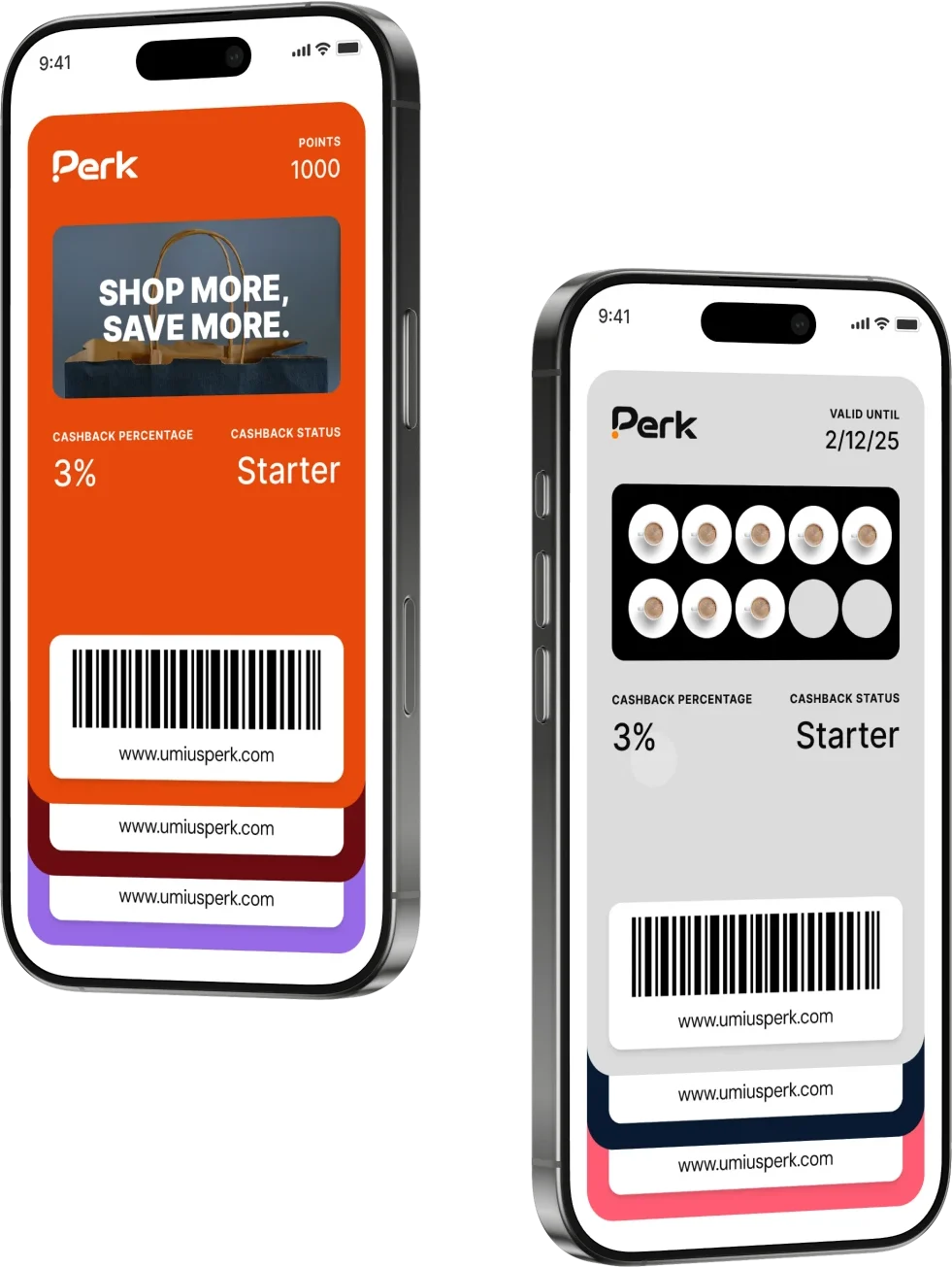
For you, the card connects to a simple dashboard. Every stamp is recorded, so you can see who visits, how often they come and who hasn’t been in for a while. That’s the part paper could never do.
Digital punch card, digital stamp card or loyalty card: what’s the difference?
These names mostly describe the same thing. “Punch card” comes from the hole punch, “stamp card” comes from the rubber stamp, and plenty of cafés just call it their loyalty card. Customers and owners search for all three.
A stamp card is one type of digital loyalty card. Perk offers eight card types, including stamp cards, points-based reward cards, memberships, cashback cards and prepaid multipass cards, so you can pick the format that matches how your customers buy. If most customers buy roughly the same thing each visit, a stamp card is usually the simplest place to start.
Why customers keep losing paper punch cards
Nobody loses a punch card on purpose. It happens because a paper card has to survive a lot to be useful. It has to be put somewhere safe, carried every day and remembered at the exact moment someone is paying.
Most people don’t carry a thick wallet anymore. They pay with their phone, keep tickets and boarding passes on their phone, and leave the house with little else. A paper card ends up in a jacket pocket, a car door or the “other” wallet, which is exactly where it is when they’re standing at your counter.
Owners describe the same few patterns again and again:
- Cards left at home. The customer remembers the card on the days they aren’t visiting.
- Duplicate cards. A new card gets started each time the old one is forgotten, so progress is split across three half-stamped cards.
- Constant reprinting. Batches run out faster than expected, because so many cards never come back.
- Wear and tear. Cards go through the wash, get rained on at the food truck window or fade until nobody can read the stamps.
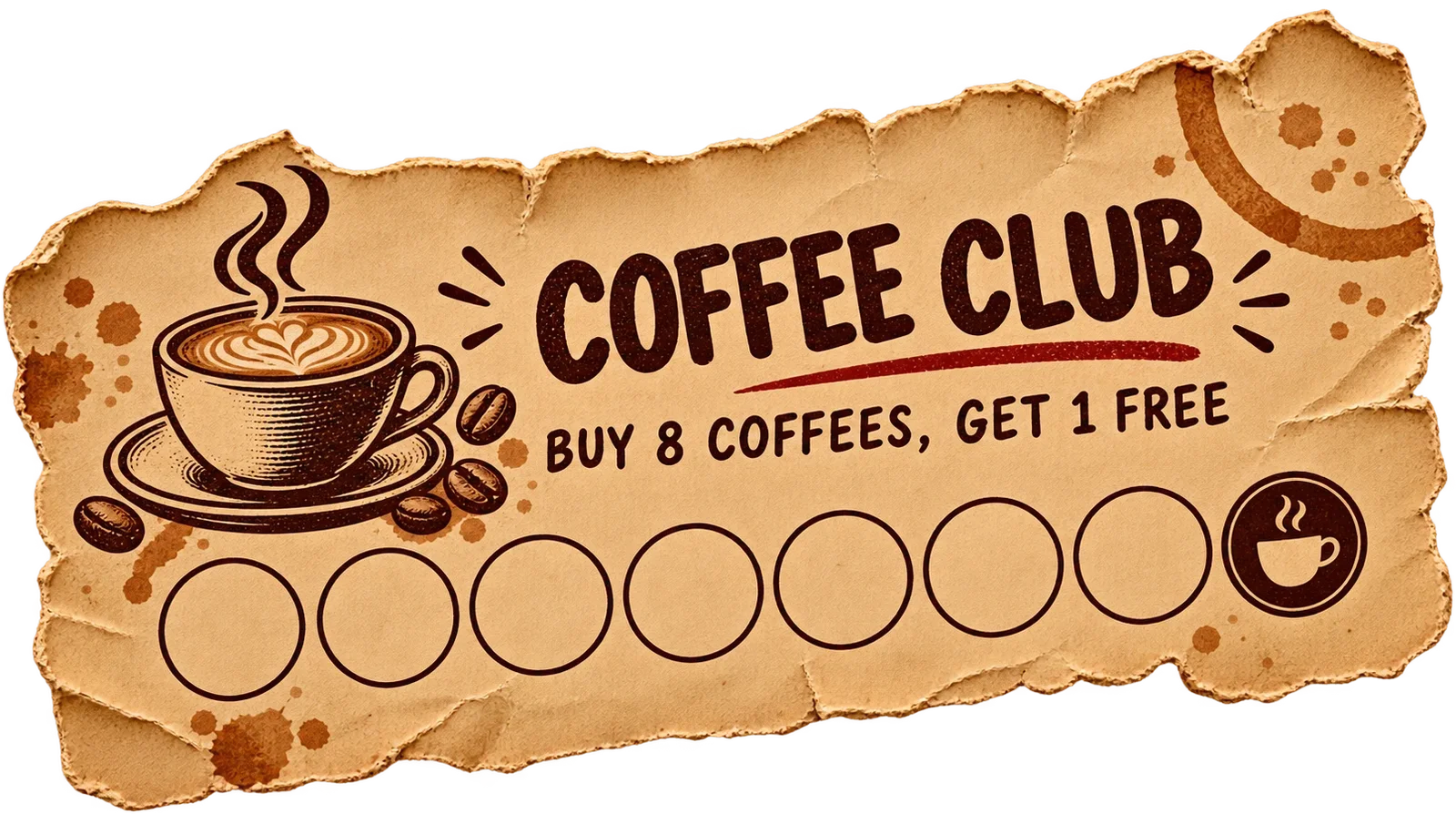
Some owners stop offering loyalty cards altogether. That’s understandable, but it swaps one problem for a bigger one. Without a card, your regulars have no visible reason to choose you over the shop next door.
What a lost punch card really costs your business
A lost punch card costs more than the paper it’s printed on. Each one is a regular’s progress that stops counting, a reward that never pulls them back and a customer you can’t recognise or contact. Repeat customers bring in far more than one-time visitors, so every card that drops out quietly shrinks your best revenue.
Regulars are worth far more than they look
Square’s 2026 Local Economy Report found that regular customers bring in about six times the annual revenue of one-time visitors, based on years of transaction data from local businesses. A punch card exists to turn first-time buyers into those regulars. A card that goes missing at stamp three may be a regular you never make.
Keeping customers also has an outsized effect on profit. In a Harvard Business Review article on customer retention, Amy Gallo points to Bain & Company research by Frederick Reichheld showing that a 5% rise in retention can lift profits by 25% to 95%. The exact figure varies by business, but the direction is clear. A customer who keeps coming back is worth much more than the price of their next order.
Rewards that are earned but never used
Then there are the rewards nobody claims. Deloitte’s 2025 Consumer Loyalty Program Survey found that 40% of loyalty members admit they sometimes forget to redeem their rewards. The same survey found that 72% say loyalty programs make them more likely to spend with their preferred brand.
That’s the problem in a nutshell. People like loyalty programs, but they forget about them. With paper, a forgotten reward simply disappears. With a card on their phone, you can remind them.
Reprinting adds up quietly
Printing never feels like a big expense, because it arrives in small orders. But every card that’s lost or duplicated has to be replaced, and the batches run out sooner than you planned. Someone has to notice the stack is low, reorder, and wait for the delivery.
There’s also the time at the counter. Starting a new card, explaining that two cards can be combined and checking half-faded stamps all slow down a busy line. None of it shows up on an invoice, but your team feels it during the morning rush.
The cost you can’t see: no customer data
A paper card leaves no record. You don’t know how many cards are active, who your most frequent customers are or who stopped coming in last month. When a regular drifts away, you notice weeks later, if at all.
That’s the hidden cost of paper. It rewards loyalty, but it can’t help you protect it.
How a digital punch card works in Apple Wallet and Google Wallet
A customer scans your QR code or taps a link, saves your card to Apple Wallet or Google Wallet in two taps, and shows it at the counter on their next visit. Your staff scan the card to add a stamp, and the customer sees their updated progress straight away. There’s no app to download and nothing new to learn.
What your customer sees
Apple and Google both built loyalty cards into the wallet apps that come with their phones. Apple’s guide to passes in Wallet explains that a pass can be added from a website, a QR code or an app, and that it can show details such as the points on a loyalty card. Google Wallet’s help centre describes the same idea on Android, where customers add a card through an “Add to Google Wallet” option and show its barcode at checkout.
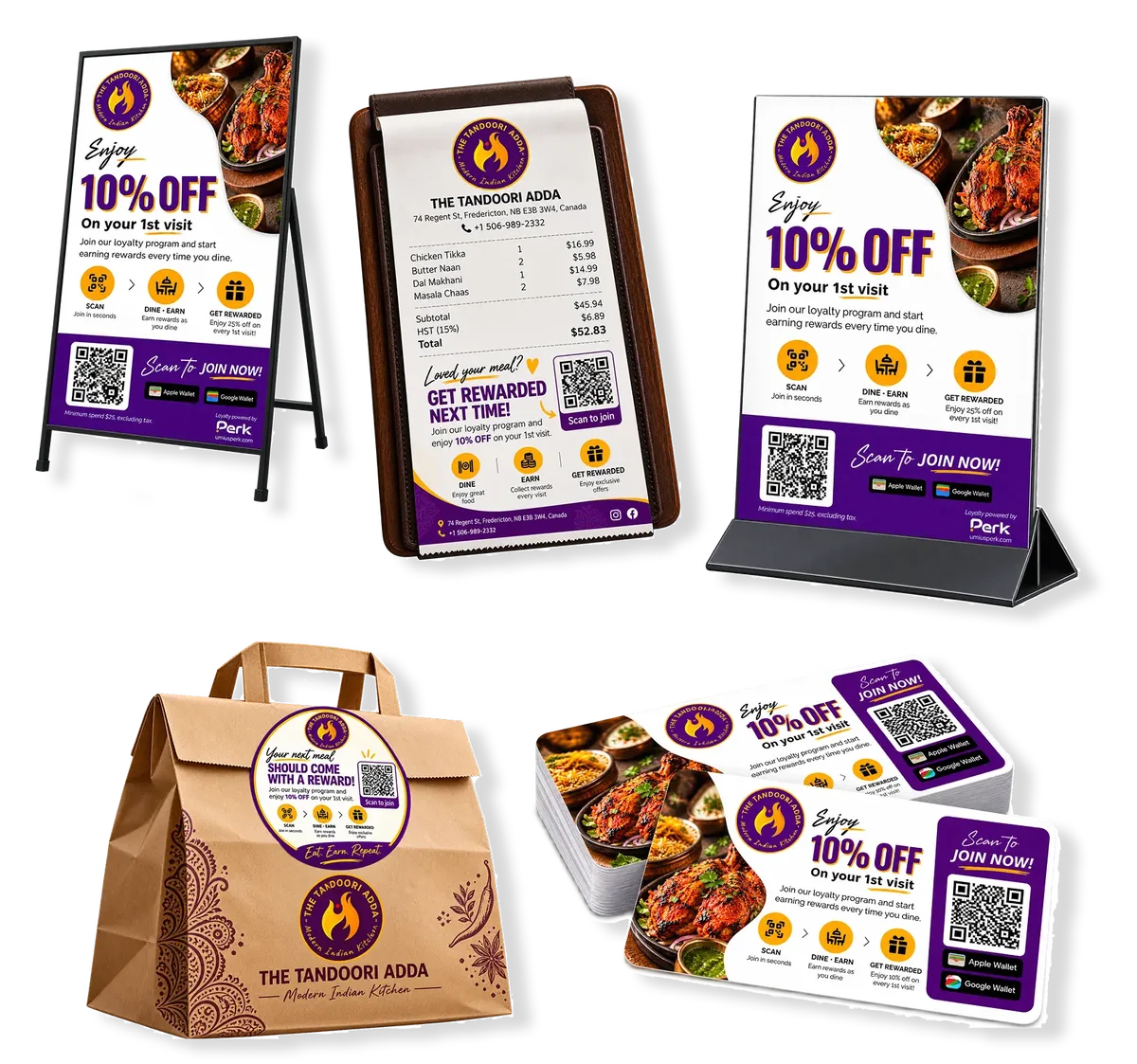
In practice, you put a QR code on the counter, a table tent or a receipt. The customer points their camera at it, taps to add the card, and they’re done. Their card shows your logo, your colours, the stamps they’ve collected and the reward they’re working towards.
What your team does at the counter
Your staff open the scanner, scan the customer’s card and add the stamp. With Perk, the scanner works on any phone and installs to the home screen, so you don’t need extra hardware at the till. The same scan can add points or visits, or redeem a reward when the card is full.
You can also add team members, assign them to locations and control what each person can access. That keeps things organised when several people work the counter, or when you run more than one location.
Does it work on iPhone and Android?
Yes. Apple Wallet comes on every iPhone, and Google Wallet is available on Android phones. A good digital punch card works in both, so you never have to choose which customers to serve.
Customers keep using the wallet they already have. Nobody has to create a new account with an app store or remember another password.
Can customers lose a digital punch card?
It’s very hard to lose a digital punch card, because it lives on the phone your customer already carries everywhere. It sits in their wallet app beside their payment cards, so it’s in their hand at the exact moment they pay. There’s no paper to forget, wash or split across duplicates.
Phones are the one thing people rarely leave behind. Pew Research Center’s mobile fact sheet reports that about nine in ten Americans own a smartphone, and Statistics Canada found that 84.4% of Canadians owned one in 2020. For most of your customers, the card will be wherever they are.
The wallet also helps your card show up at the right time. On iPhone, Apple’s Automatic Selection setting can bring a loyalty card up on its own when the customer is in the store, so they don’t have to search for it. Your card isn’t buried in an app they downloaded once and forgot about.
Progress is safer too. Each stamp is recorded on your side when your team scans the card, so a customer’s stamps don’t live on a piece of cardboard that can go through the wash.
Paper punch card vs digital punch card: a side-by-side comparison
Paper still has a place, and it’s worth being honest about where it wins. But for most businesses that rely on repeat visits, the comparison looks like this:
| Paper punch card | Digital punch card | |
|---|---|---|
| Where the card lives | A pocket, a wallet or a drawer | Apple Wallet or Google Wallet on their phone |
| Forgotten at home | Often | Rarely, because it’s on their phone |
| Fake or extra stamps | A rubber stamp is easy to copy | Stamps are added by your team’s scan |
| Knowing your regulars | No record of visits | Every stamp and visit is recorded |
| Reaching customers between visits | Not possible | Messages on the lock screen |
| Ongoing printing | Reorder batches of cards | Only your QR code |
| Customer effort | Carry it and remember it | Save it in two taps, no app |
| Setup | Order cards and a stamp | Most businesses set up in an afternoon |
The biggest difference isn’t on the card itself. It’s what happens between visits. A paper card does nothing until the customer comes back on their own. A digital card can show progress, send a reminder and tell you who’s drifting away.
What a wallet card can do that paper can’t
Beyond replacing the paper, a digital punch card gives you a way to reach customers between visits. You can send messages to their lock screen, show offers on the card itself, add buttons to call or get directions, and see which customers are visiting less often, so you can win them back before they’re gone.
Remind customers when a reward is close
With Perk, you can send instant or scheduled messages that appear on your customers’ lock screens. That could be a reminder that one more stamp earns a free coffee, a note about a new seasonal item or a thank you after a big order.
Use them sparingly. A message that feels useful brings people in, while too many will get your card removed. One good message on a quiet afternoon is worth more than five in a week.
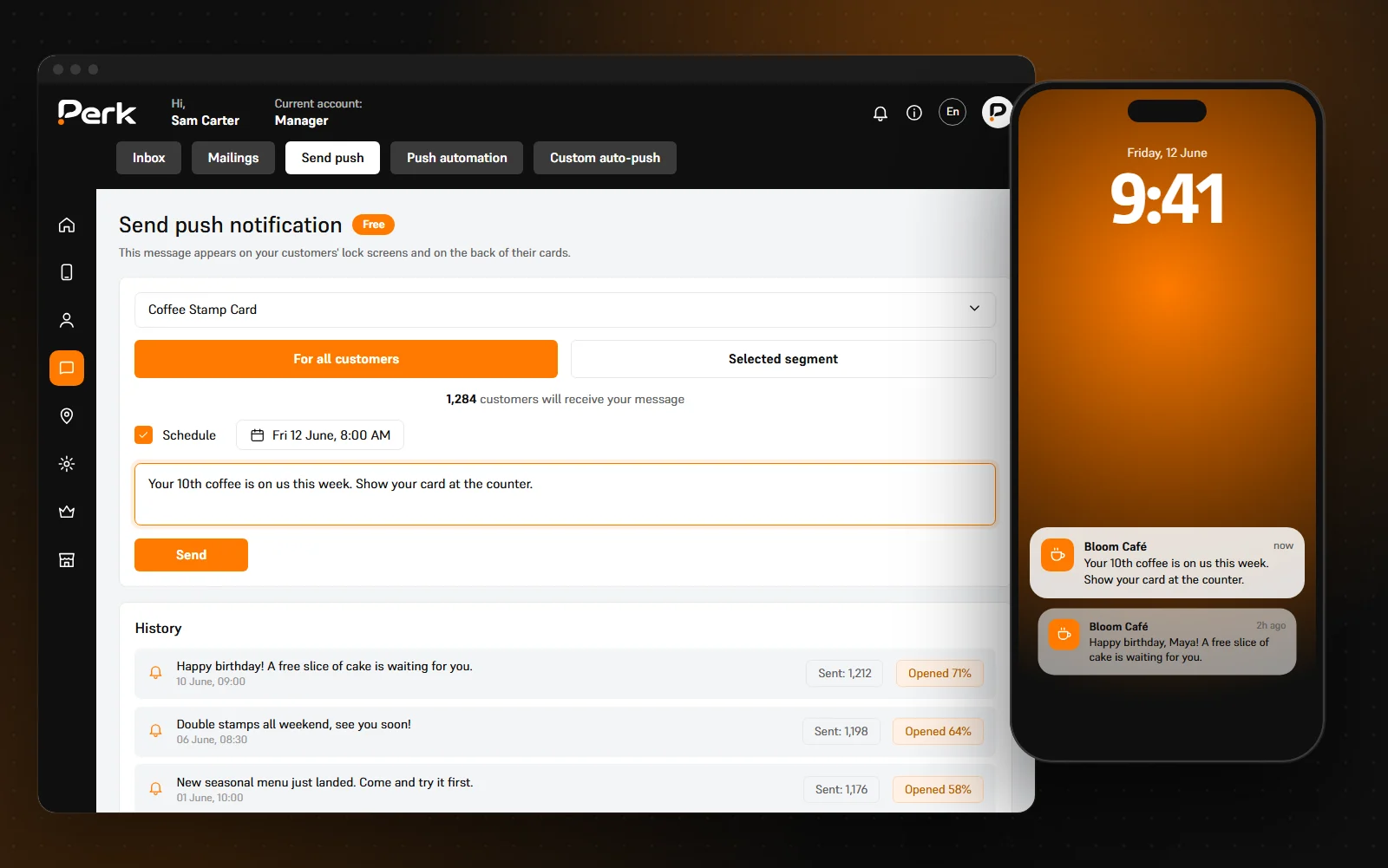
Lock-screen messages from a wallet card aren’t the same as texts or emails. If you also run text or email marketing, consent rules vary by country, such as Canada’s anti-spam legislation and the FCC’s consent rules for marketing texts in the US. Check what applies where you operate.
Show offers and useful buttons on the card
You can run short promotions, set usage limits and choose which cards they apply to, and customers see the offer right on their card. That’s handy for a slow Tuesday, a new menu item or a holiday week.
Buttons on the card let customers visit your website, call you, get directions or leave a review. The card stops being just a stamp tracker and becomes the quickest way to reach you. You can see the full list on our features page.
See who your regulars are, and who’s drifting
Every stamp builds a picture of how people visit. Perk sorts customers by how recently they came in, how often they visit and how much they spend, so you can see your best regulars and the ones who haven’t been in for a while.
That changes how you look after your customers. Instead of noticing a regular is missing weeks later, you can send them a reason to come back while they still remember you.
What big brands figured out
Large chains moved loyalty onto phones years ago. Starbucks reported 34.6 million active Rewards members in the US for the quarter ending December 2024.
The lesson for a small business isn’t to build an app. It’s that loyalty works best when it’s always with the customer and takes no effort to use. A wallet card gives a local shop that same convenience, alongside the personal service a big chain can’t match.
When paper punch cards still make sense
Paper isn’t wrong for everyone. Some owners make a fair case for it: cards are cheap to print, they double as a business card, and some customers like a card they can hold. If you sell at a market once a month and most buyers are passing through, a paper card might be all you need.
Some customers also say they’d rather not sign up for anything or share personal details just to collect stamps. That’s a good reminder for any program, paper or digital. Keep joining quick and only ask for what you actually need.
Where paper falls short is the business that depends on the same people coming back every week. If your café, salon or bakery lives on regulars, the cards that go missing are the ones that matter most. That’s where a digital card earns its place.
How to replace paper punch cards without upsetting your regulars
Switching is mostly about your regulars. They’ve been collecting stamps for months, and the worst thing you can do is tell them their card no longer counts. Plan the move so nobody loses progress.
- Keep the reward they know. If it’s buy nine and get the tenth free, keep it. Changing the card and the reward at the same time confuses people.
- Honour every paper stamp. When a regular brings in a half-full paper card, add the same number of stamps to their new digital card. Nobody should start from zero.
- Set a clear changeover date. Tell customers you’ll accept paper cards until a set date, and stop handing out new ones. A month or two gives regulars time to bring theirs in.
- Put the QR code where people wait. The counter, the menu board, receipts and the takeaway bag all work. The easier it is to scan, the more customers join.
- Brief your team in five minutes. Show them how to scan a card and add a stamp, and give them one line to say: “Want to save your card to your phone? It takes two taps.”
- Tell your regulars directly. Mention it at the counter and on social media. Your regulars have the most stamps to protect, so they’re often glad to hear their progress is safe.
Where to put your QR code
The QR code does the heavy lifting in the first few weeks, so place it where customers have a spare moment. A few ideas by business type:
- Cafés and bakeries: on the counter next to the card reader, on the pastry case and on takeaway cups or bags.
- Restaurants: on table tents, the bill folder and the receipt, so guests can save the card while they wait to pay.
- Salons, barbershops and spas: at the front desk and the mirror station, and in the appointment confirmation if you send one.
- Retail boutiques: by the till and on the shopping bag, so the card goes home with the purchase.
- Food trucks and car washes: on the serving window or the pay station, at eye level, where people stand while they wait.
Keep the sign short and clear: what the reward is, and that it takes two taps with no app. A line like “Save our stamp card to your phone. Every 10th coffee is on us” tells people everything they need.
With Perk, most businesses set up their card in an afternoon, and customers can start collecting stamps the same day. If you’re still deciding, our home page shows how Perk helps you replace paper punch cards with a digital loyalty card, and our industries page shows how the card fits your kind of business.
How to design a digital stamp card customers actually finish
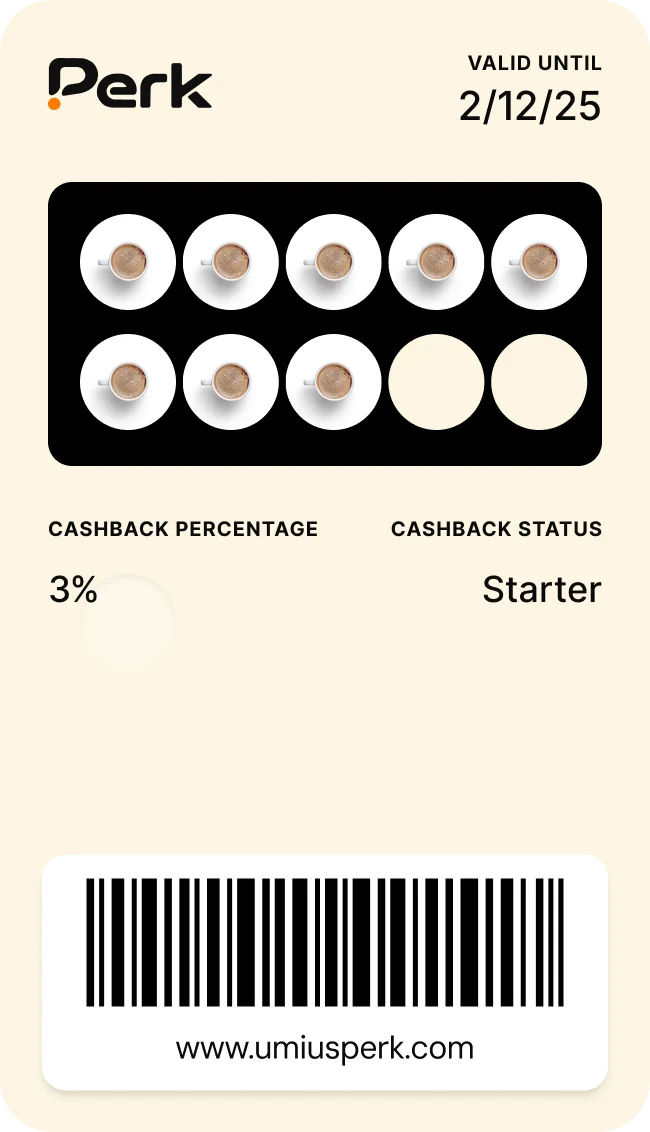
Keep the reward simple and within reach. Pick one reward customers already want, set a number of stamps they can collect in a few weeks of normal visits, and show progress clearly on the card. A reward that feels out of reach gets ignored, whether the card is paper or digital.
Match the card to how your customers buy
Square’s 2026 Local Economy Report also found that 59% of food and drink regulars order the same thing each time. That’s why a simple stamp card works so well for cafés: one drink, one stamp. See how it looks with digital stamp cards for coffee shops.
Other businesses need a slightly different shape:
- Bakeries often reward a loaf or a box of pastries, and can let customers know when a fresh batch comes out. See our bakery punch cards.
- Salons tend to do better with points, because a quick trim and a full colour shouldn’t earn the same reward. See salon loyalty cards with rebooking reminders.
- Food trucks can pair stamps with alerts that tell fans where you’re parked next. See food truck loyalty cards.
Design rules that work for any business
- Make it look like your shop. Use your own logo and colours so the card feels like part of your business.
- Name the reward in plain words. “Free coffee” beats “Reward tier 1” every time.
- Pick a stamp count your regulars can finish. If most people visit weekly, a card they can fill in two or three months keeps them interested.
- Tell people how close they are. A reminder when they’re one stamp away is a gentle nudge to come back.
Make your punch card impossible to lose
Paper punch cards were a good idea held back by paper. The reward works; the card goes missing.
Here’s what to take away:
- A digital punch card lives in Apple Wallet or Google Wallet, so customers carry it everywhere without thinking about it.
- Every lost paper card is a regular’s progress you stop counting, and regulars are worth far more than one-time visitors.
- A digital card gives you what paper never could: a record of who visits, reminders when a reward is close and a way to win back customers who drift.
- You can switch without upsetting anyone by keeping the same reward and honouring every paper stamp.
If you’d like to see what a digital punch card would look like for your business, book a demo. We’ll set up a sample card with your logo and show you how stamping works at the counter. There’s no obligation to sign up afterwards.
Frequently asked questions
Do customers need to download an app to use a digital punch card?
No. A digital punch card saves straight into Apple Wallet or Google Wallet, which already come on most smartphones. Customers scan your QR code or tap a link and add the card in two taps.
Does a digital punch card work on both iPhone and Android?
Yes. iPhone customers save the card to Apple Wallet and Android customers save it to Google Wallet. Both show your branding and their stamps, and your team scans either one the same way.
How do staff add stamps to a digital punch card?
Staff scan the customer’s card with a scanner on a phone, which adds the stamp straight away. With Perk, the scanner works on any phone and installs to the home screen, so you don’t need new hardware at the counter.
Can I keep my current reward when I switch from paper?
Yes, and it’s usually the best choice. Keep the same reward and the same number of stamps so regulars understand the new card immediately. Add their existing paper stamps to their digital card so nobody loses progress.
Can customers fake stamps on a digital punch card?
It’s much harder than with paper. Stamps are added when your team scans the card, so there’s no rubber stamp to copy and no way for a customer to fill the card in themselves.
Can I send messages to customers through a digital punch card?
Yes. With Perk you can send instant or scheduled messages that appear on customers’ lock screens, such as a reminder that a reward is waiting. Keep them occasional so they stay useful, and if you also use texts or email, check the consent rules where you operate.
How long does it take to set up a digital punch card?
Most businesses set up their Perk card in an afternoon, and customers can start collecting stamps the same day. You add your logo, colours and reward, then print your QR code for the counter.